GenZWrite Help Center
Everything you need to know about transforming AI drafts into undetectable, human-quality writing
Getting Started with GenZWrite
What is GenZWrite?
GenZWrite is a specialized Ai Writing Assistant designed to humanize ai text . Unlike basic paraphrasers, we use advanced linguistic modeling to ensure your content passes as a human written paragraph.
How do I start?
Simply paste your text into the editor on our homepage, select your humanization mode, and click "Humanize." For more details, visit our How It Works page.
Is there an ai humanizer free version?
Yes! We offer a best ai humanizer free trial for new users so you can test our detection-bypass technology before committing to a plan.
Bypassing AI Detection
Which detectors can GenZWrite bypass?
Our engine is constantly updated to bypass AI detector scans from Turnitin, GPTZero, Originality.ai, Copyleaks, and more.
My text was still flagged. What should I do?
Detection is a moving target. If your text is flagged, try our "Ultra-Human" mode. Additionally, ensure you are not over-using AI-specific clichés like "In conclusion" or "Tapestry," which even a GPT humanizer might struggle to mask if used excessively.
Does humanizing content affect SEO?
Actually, it helps! Google’s 2026 updates reward helpful, human-centric content. Using an AI content humanizer helps you avoid "spammy" patterns that lead to search engine penalties.
Account & Subscription
How do I upgrade my plan?
Navigate to your Dashboard and click on "Billing" to see our current AI Humanizer Pro tiers.
Can I cancel my subscription?
Yes, you can cancel at any time through your account settings. You will retain access to your Pro features until the end of your current billing cycle.
Technical Troubleshooting
The 'Humanize' button isn't working
Clear your browser cache or try opening GenZWrite in an Incognito/Private window. the If the problem persists, check your internet connection.
Formatting issues after humanization.
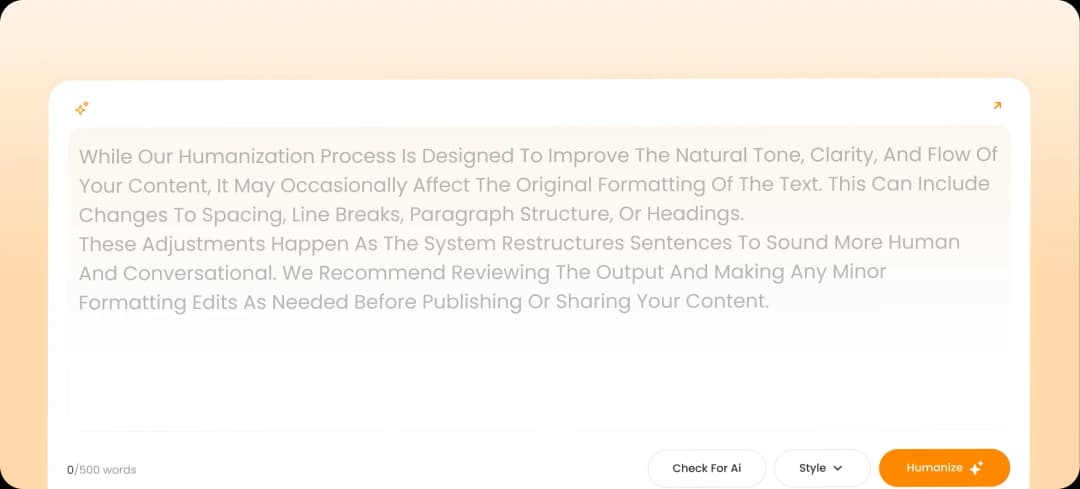
While we strive to maintain your layout, complex tables or bullet points may occasionally shift. We recommend a quick final review of your humanize writing output before submission.
Still Need Help?
If you couldn't find the answer you were looking for, our team is here to help you humanize ai content successfully
Have questions?
Try it now
For Free
One tap to pass the vibe check
Try it now
For Free
One tap to pass the vibe check